 MarceloBlog
Top-Rated Social Media Management Software: How to Choose

Choose social media management software by testing it against the work you need to do: preparing content, reviewing images, approving posts, and organizing a publishing schedule. Treat a “top-rated” label as a starting point for evaluation—not the deciding factor.
Start with a practical question: Can this tool support a complete week of your social media work without creating unnecessary handoffs or confusion? Ask to see that workflow demonstrated before making a decision.
It also helps to separate two decisions: which software to use, and who will do the work. Marcelo offers social media management, alongside content marketing, search engine optimization, website design, paid advertising, and marketing strategy. If you are considering both software and outside support, evaluate those needs separately.
What should “top rated” mean for your business?

Before comparing ratings, define what a successful purchase would let you do.
Write a short list of essential tasks. For example:
- Prepare posts ahead of their intended publication dates.
- Review visual content before approving it.
- Distinguish drafts from approved and published posts.
- Organize a week of content in a calendar.
- Give the right people a clear opportunity to review the work.
Use this list as your evaluation standard. Ask each provider to demonstrate your essential tasks rather than relying only on a feature checklist.
When examining a rating, look for its source, date, number of reviews, and explanation of how the score was calculated. Read the reasons behind the score, too. Pay particular attention to reviews that discuss the same tasks you want to perform.
Your goal is not simply to find a high score. It is to make a well-supported choice for your workflow.
Which software capabilities should you evaluate first?
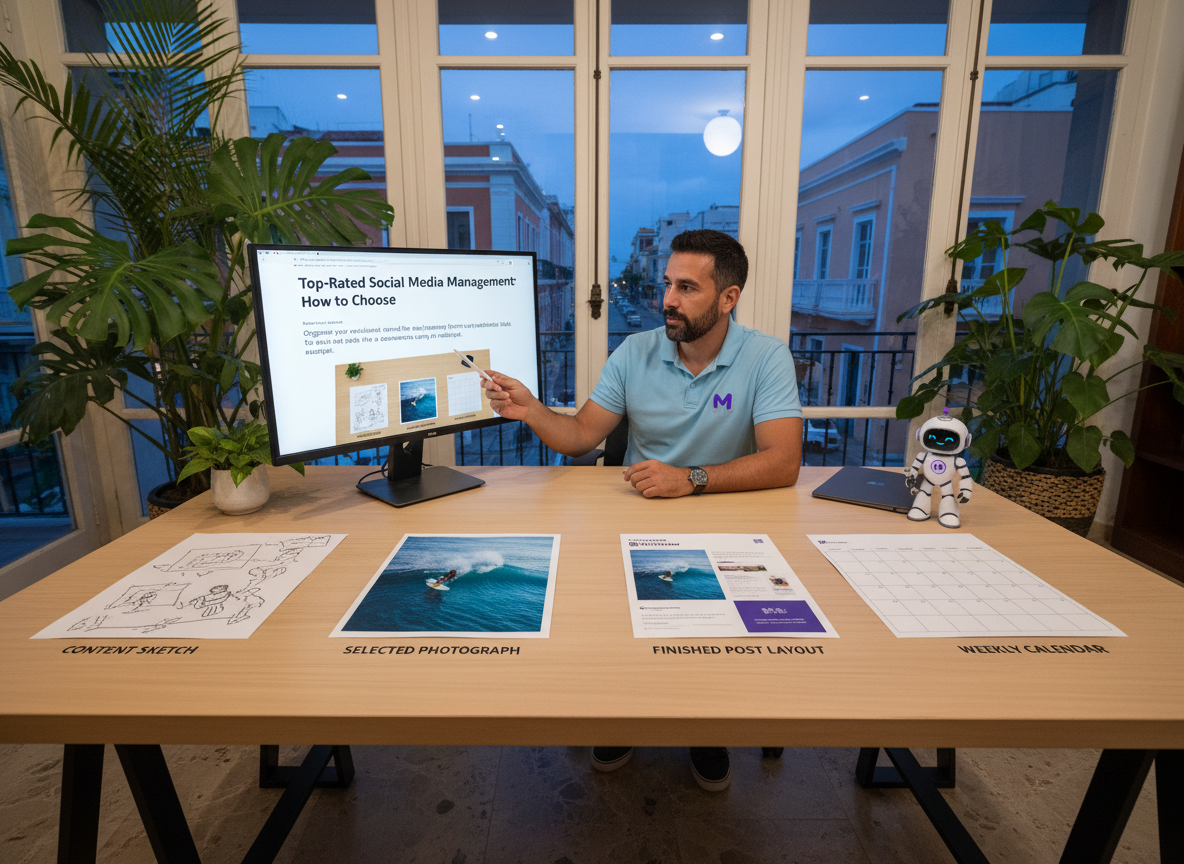
Organize your evaluation around the journey from an unfinished idea to a published post. For each stage, ask for a demonstration using a realistic example.
Can you organize content before it is ready?
Ask how you would create a draft, attach its intended visual, and find it again when it is time to review.
Try this exercise: prepare several posts for different days, then leave one unfinished. Return to the workspace and check whether you can quickly identify what still needs attention.
Do not stop at asking whether a draft feature exists. Test whether the drafting process makes sense to the person who will use it.
Can you review images before scheduling them?
Ask the provider to demonstrate how someone reviews a visual, approves it, or requests a change.
Then test a revision. Replace the original image and check how a reviewer would identify the version intended for publication. Decide whether that process is clear enough for your team before committing.
Can you distinguish draft, approved, and published content?
Build a sample calendar containing posts at different stages. Check whether you can answer these questions without opening every item:
- What still needs to be written?
- What is waiting for review?
- What has been approved?
- What has already been published?
These are useful evaluation questions because they focus on the decisions you need to make while managing content, rather than on the appearance of the dashboard alone.
Can you change the schedule clearly?
Ask to move a planned post to another date. Then inspect the calendar, the post itself, and any review steps involved.
Use that exercise to decide whether the process fits the way you want to work. Include the people who would actually prepare, review, or approve content in the evaluation.
How can you compare software without getting lost in feature lists?
Use the same short test for every product you consider.
1. Define a sample week. Choose several posts you would realistically want to prepare. Include an image that needs review and a post that will require a revision.
2. Walk through the entire process. Draft the posts, review the visuals, request a change, approve the revised work, and organize the schedule.
3. Record what happened. Note which steps were straightforward, which required help, and which questions remain unresolved.
4. Check the proposed plan. Ask the provider to identify the exact plan required for the capabilities you tested. Request the applicable price and terms in writing.
5. Make the decision against your original requirements. Return to your essential-task list. Separate requirements you demonstrated successfully from features you have only seen mentioned.
A simple comparison sheet can use four columns: requirement, demonstration result, unresolved question, and importance to your business. This keeps the evaluation focused on your needs rather than the length of a sales presentation.
Should you choose software or social media management support?
Start by deciding what you want to take responsibility for internally.
If you want your own team to prepare content, review visuals, approve posts, and organize the calendar, evaluate software around those responsibilities. Name the person responsible for each stage before choosing a tool.
If you are looking for someone to perform social media management work, evaluate the service as well as any software involved. Ask what work is included, what you would need to provide, and how you would participate in reviews.
Marcelo offers social media management. Its confirmed work examples show a week of scheduled social posts for a restoration client, with posts marked as drafted, approved, or already published. Another example shows visual content being reviewed and approved before it is scheduled to the feed.
Those examples give you concrete subjects for a conversation with Marcelo: advance planning, content status, and visual review. Describe the workflow you want, then ask how the proposed service would address it.
How should social media fit into your wider marketing plans?
Before selecting a tool or service, list any other marketing work you want to discuss. Keep the scope explicit rather than assuming that a social media purchase includes everything else.
Marcelo's confirmed services are:
- Social media management
- Content marketing
- Search engine optimization
- Website design
- Paid advertising
- Marketing strategy
If your project involves more than social media, identify the relevant services when you make contact. Ask for a clear description of the proposed work and your responsibilities before deciding how to proceed.
To discuss social media management with Marcelo, email support@meetmarcelo.ai.
Frequently asked questions
What is the best way to choose top-rated social media management software?
Define your essential tasks, examine the evidence behind ratings, and run the same realistic workflow test for each product. Base your decision on demonstrated fit rather than the rating alone.
What should I ask to see in a software demonstration?
Ask to see a post move from draft through visual review, revision, approval, and scheduling. Include a schedule change so you can evaluate more than the initial setup.
Should I compare prices before testing the workflow?
Set your budget first, then request pricing for the exact plan that supports your requirements. Compare the written proposal with what was demonstrated before making a purchase.
Does Marcelo offer social media management?
Yes. Social media management is one of Marcelo's confirmed services. Its work examples include planning scheduled posts and reviewing visual content before scheduling.
How can I contact Marcelo about social media management?
Email support@meetmarcelo.ai with the work you want help with and the questions you want to discuss.